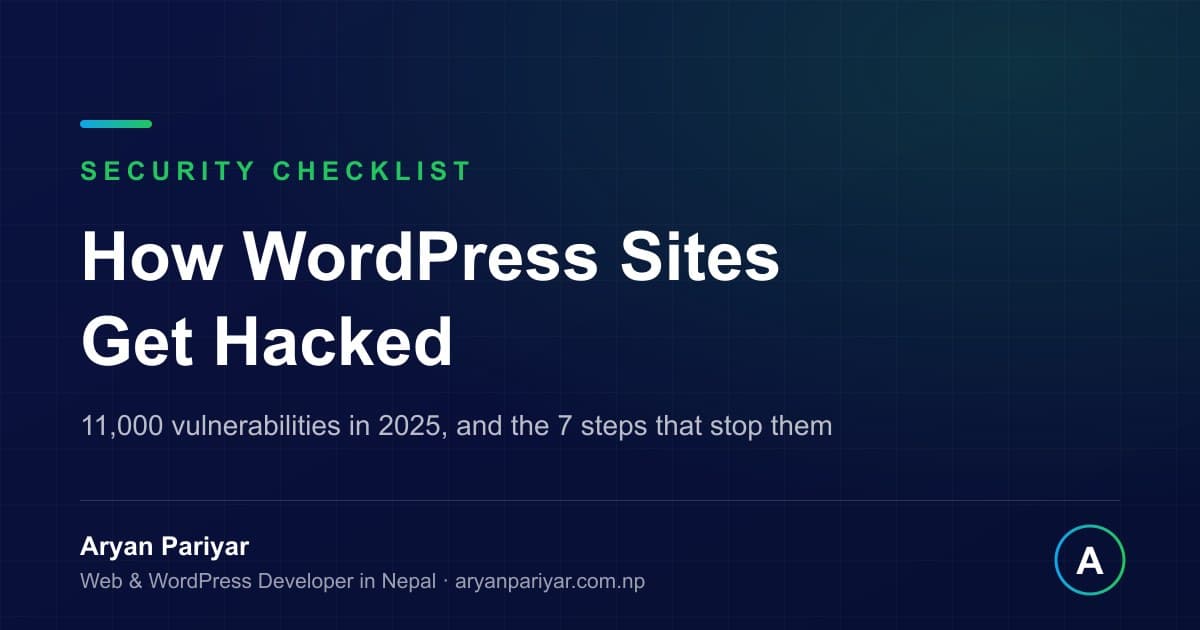
Quick answer: WordPress sites are almost never hacked by someone targeting your business. They are found by automated scanners looking for known vulnerable software. Security researchers at Patchstack recorded more than 11,000 WordPress vulnerabilities disclosed during 2025, roughly 91 percent of them in plugins, while WordPress core itself accounted for a handful. The fix is unglamorous and effective: update everything, back up off site, control access, and monitor. The seven step checklist is below.
I maintain WordPress sites for businesses in Nepal and Europe as part of my maintenance service, and I have cleaned enough compromised sites to know they nearly always follow the same script.
What the data actually says
| Finding | Number |
|---|---|
| WordPress vulnerabilities disclosed in 2025 | More than 11,000 |
| Share found in plugins | About 91 percent |
| Share found in themes | About 9 percent |
| Found in WordPress core itself | A very small number |
| Hacked sites running at least one outdated plugin | Around 78 percent |
| Time from public disclosure to active exploitation | Often within hours |
Two conclusions follow directly. First, WordPress itself is not the weak point, the plugins bolted onto it are, which means every plugin you install is a decision with a security cost. Second, the window between a vulnerability becoming public and bots exploiting it is short, so a site updated monthly is exposed for weeks at a time.
The five ways sites actually get compromised
1. An outdated plugin or theme
The overwhelming majority. A vulnerability is published along with its fix, automated scanners begin hunting for unpatched installations immediately, and any site that has not updated is found within days.
2. Abandoned plugins
Plugins whose developers stopped maintaining them never receive a fix at all. A plugin that has not been updated in two years is a liability regardless of how well it works.
3. Weak or reused passwords
Automated login attempts run continuously against every WordPress site. An admin account named admin with a guessable password is opened by brute force without any vulnerability being needed.
4. Cheap shared hosting without isolation
On poorly configured shared servers, one compromised site can affect neighbours. This is one more reason hosting quality matters, which I measured in best web hosting in Nepal.
5. Pirated themes and plugins
Nulled premium plugins downloaded free from unofficial sites frequently contain deliberately inserted backdoors. This is common in Nepal because premium licences feel expensive, and it is the most self inflicted risk on this list. The licence costs far less than the cleanup.
How to tell whether your site is already compromised
- Search Google for site:yourdomain.com and look for pages you never created, often in other languages or advertising unrelated products.
- Check your users list in the WordPress dashboard for administrator accounts you do not recognise.
- Open your site in a private window and on mobile data. Some infections only redirect visitors arriving from search or on phones, so it looks fine when you check it while logged in.
- Look for a browser or Search Console warning, which means Google has already flagged you and your traffic is dropping.
- Watch for sudden slowness, since compromised sites are often used to send spam or mine cryptocurrency, and the load shows up as poor performance in the speed checker.
- Check whether your emails started landing in spam, a common consequence of a domain being used to send bulk mail.
The 7 step prevention checklist
- Enable automatic updates for security releases, and check core, themes and plugins weekly. This one habit prevents most incidents.
- Remove what you do not use. Deactivated plugins and unused themes still sit on the server and can still be exploited. Delete them rather than disabling them.
- Use strong unique passwords and two factor authentication for every administrator, and never use the username admin. Give editors editor accounts rather than administrator access.
- Take daily backups, stored off the hosting server, and restore one at least once so you know it works. A backup that has never been tested is a hope.
- Install one reputable security plugin for firewalling, malware scanning and login rate limiting, and configure it rather than just activating it.
- Buy legitimate licences. Never install nulled themes or plugins from unofficial sources.
- Monitor uptime and file changes, so you learn about a problem from an alert rather than from a customer.
None of this is advanced. It is routine, which is exactly why it gets skipped until something breaks, and why it forms the backbone of any real maintenance plan.
If you have been hacked, in order
- Do not panic and do not delete everything. Take a full backup of the compromised site first, since it is evidence of how they entered.
- Put the site in maintenance mode so visitors are not exposed while you work.
- Change every password: WordPress admins, hosting control panel, FTP, database, and any email account connected to them.
- Restore a known clean backup if you have one from before the infection, or have the malware removed properly.
- Patch the entry point. Restoring without finding how they got in guarantees a repeat within days.
- Request a review in Google Search Console if your site was flagged, so the warning is removed once you are clean.
- Harden everything afterwards using the checklist above, because a site that has been compromised once is on lists that get retried.
Expect cleanup to cost NPR 10,000 to 50,000 depending on depth, before counting lost enquiries and rankings during downtime.
Is WordPress a bad choice because of this?
No, and it would be dishonest to suggest so. WordPress core has a strong security record, and its risk profile comes from the plugin ecosystem that also makes it useful. A WordPress site with ten well chosen, well maintained plugins is a reasonable, safe business tool. A WordPress site with forty plugins, three of them abandoned and one of them pirated, is a matter of time.
If your site is mostly static content and you want a smaller attack surface, custom built sites carry far less maintenance risk, which is part of the comparison in WordPress vs Next.js. That is a trade off, not a verdict.
Frequently asked questions
How often should I update WordPress?
Security releases immediately, everything else weekly. Test on staging first for larger sites, and always take a backup before updating.
Will my host clean a hacked site for me?
Some offer it as a paid service, many do not. Hosts secure the server, your site's code is your responsibility. Ask before you need to know.
Does an SSL certificate protect my site from hacking?
No. SSL encrypts traffic between visitor and server, which is essential, but it does nothing to stop a vulnerable plugin being exploited. They solve different problems.
Are Nepali websites really targeted?
They are not targeted, they are scanned, along with everything else on the internet. Being small or local offers no protection from automation.
Can you secure and maintain my WordPress site?
Yes. Updates, off site tested backups, malware and uptime monitoring, and cleanup if you are already compromised are all part of my maintenance service. Send me your URL for a free security and speed health check.
How do WordPress websites get hacked?
Almost always through outdated software rather than clever attacks. Security researchers at Patchstack recorded more than 11,000 WordPress vulnerabilities disclosed in 2025, and about 91 percent of them were in plugins. Attackers scan the internet automatically for known vulnerable versions, so a site running an unpatched plugin is found by a machine, not by a person who targeted you.
How do I know if my WordPress site has been hacked?
Common signs are unfamiliar admin users, redirects to other sites, spam pages appearing in Google results for your domain, a browser warning, sudden slowness, unexpected files in wp-content, and email from your domain landing in spam. Search your domain in Google with a site: query and look for pages you did not create.
Do small business websites in Nepal really get attacked?
Yes, because attacks are automated and indiscriminate. Bots scan for vulnerable software across the whole internet without caring who owns the site. A small Nepali business site with an outdated plugin is as attractive to a bot as a large one, and it is often less protected.
What is the most important WordPress security step?
Keeping WordPress core, themes and plugins updated, because the overwhelming majority of compromises exploit known vulnerabilities that already had a fix available. Automatic updates for security releases, plus a weekly check, prevent most incidents on their own.
How much does it cost to clean a hacked website in Nepal?
Typically NPR 10,000 to 50,000 depending on how deep the infection goes and whether backups exist, plus the harder to measure cost of downtime, lost enquiries and Google blacklisting. Prevention through a maintenance plan usually costs less per year than a single cleanup.
Are security plugins enough to protect a WordPress site?
They help, they are not sufficient. A security plugin cannot fix an unpatched vulnerability in another plugin, weak passwords, or hosting that has no isolation. Treat security as a routine of updates, backups, strong access control and monitoring, with the plugin as one layer of it.
What should I do first if my site is hacked?
Take a full backup of the compromised site for evidence, put the site into maintenance mode, change all passwords including hosting and database, then either restore a known clean backup or have the infection removed properly and every entry point patched. Restoring without patching the hole simply invites the same attack again.
Nobody chose your website to attack. A machine simply found an old plugin. Ten minutes of routine every week is what stands between a normal Tuesday and an expensive one. Get a free health check.
Aryan Pariyar
Web developer in Nepal, working with global companies across the Netherlands, UK and Australia. 100+ websites shipped, AI ad creatives generating thousands of sales, and 1,000+ students trained.
More about me →Have a project in mind?
Let's turn your idea into something premium.

Let's build it together!
Contact NowNot sure where to start?
Tell me about your project and I'll get back within 24 hours.