Aryan Pariyar
Quick answer: a proper SEO audit in 2026 checks seven areas: whether Google can crawl and index your pages, whether your titles and content match what people search, your structured data, mobile and speed, readiness for AI answers (AEO) and AI citations (GEO), and the search experience after the click. Below are 30 checks across those areas, each with how to test it, and what I actually found running them on this website.
I'm Aryan Pariyar, a developer who offers SEO services in Nepal. Most audit checklists are lists of things that could be wrong. This one is different: I ran every check on my own site over the last six weeks, and next to each one is what I found and fixed. Some of the problems were my own mistakes, and they're in here too.
One honest note first: no audit guarantees rankings. An audit removes what's holding a site back. Competition, content and authority still decide how far it goes.
What the fixes did
Here's this site in Google Search Console, before and after working through the checks below:
| Period | Search impressions | Clicks | Impressions per day |
|---|---|---|---|
| July 2026 | 65 | 2 | 2 |
| August 2026 | 103 | 10 | 3 |
| 1 to 23 September 2026 | 1,019 | 34 | 44 |
Small numbers for a young site, and the fixes weren't the only change, new guides went live over the same weeks. But the shape is clear, and several of the problems below would have capped that growth on their own.
The tools I use
| Tool | What I use it for in an audit |
|---|---|
| Google Search Console | Indexing, the queries each page shows for, click rate, and page experience |
| Screaming Frog | Crawling every page for titles, canonicals, redirects and broken links, with title width in pixels |
| Ahrefs | Site Audit for technical issues and internal links, plus backlinks |
| Semrush | Keyword research, competitor gaps and position tracking |
| GA4 | What visitors do after they land, and which pages lead to enquiries |
| Looker Studio | One monthly report pulling Search Console and GA4 together |
1. Crawling and indexing (checks 1 to 8)
If Google can't crawl or index a page properly, nothing else on this list matters.
| Check | How to test | What I found on this site |
|---|---|---|
| 1. robots.txt allows what you want found | Open yoursite.com/robots.txt | Fine for Google. I added explicit rules for AI crawlers too. |
| 2. XML sitemap submitted, with real dates | Search Console, Sitemaps | Submitted. Updated posts now carry their real updated date. |
| 3. Every page's canonical points to itself | Screaming Frog, Canonicals tab | 13 pages told Google they were copies of the homepage. A default in the site's layout leaked into every page without its own. |
| 4. One version of the site | Visit the http and www versions | Redirects worked, but Search Console still showed old http URLs taking clicks. They consolidate over time. |
| 5. No real pages served as "not found" | Check the title on key pages | My SEO plugin returned its 404 title for pages it didn't know, so service pages were titled "Page Not Found". |
| 6. No links pointing at redirects | Ahrefs Site Audit | Facebook, Instagram and a moved project all redirected, and one citation led to a dead page. |
| 7. Every important page has several internal links | Ahrefs, incoming internal links | 8 pages had only one link, because the menu dropdowns weren't in the page's HTML at all. |
| 8. Noindex only where you mean it | Screaming Frog, Indexability | One noindex, on an AI context file, which was deliberate. |
2. On-page (checks 9 to 16)
| Check | How to test | What I found on this site |
|---|---|---|
| 9. Titles fit in pixels, not characters | Screaming Frog title pixel width | Only 16 of 46 pages fit. Google cuts titles near 600px on desktop and 540px on mobile. After the fix, 45 of 46. |
| 10. The answer shows in the first 110 characters | Read the description as a phone shows it | Mobile cuts descriptions near 680px. 8 price pages lost their actual price on a phone. |
| 11. The keyword is in the first sentence | Read the opening paragraph | The SEO price guide targeted "cost" while more people searched "price". |
| 12. Descriptions say something specific | Screaming Frog, description length | 11 pages had descriptions under 80 characters, like "Websites projects by Aryan Pariyar". |
| 13. Two pages don't chase the same search | Search Console, queries by page | Once service pages showed prices, they and the cost guides started answering the same question. |
| 14. Link text describes the page it links to | Read your internal links | 11 links said things like "both", "what I do" and "developer". |
| 15. Pages don't contradict each other | Compare prices and claims across pages | A guide said apps were "scoped per project" while the service page published a price. |
| 16. Images are sized for where they show | PageSpeed Insights, image audits | A 103 KB photo shown at 56px. It's now 13 KB, served at the size needed. |
Two free tools help here: the meta tag generator for titles and descriptions, and the website speed checker for images and speed.
3. Structured data and social (checks 17 to 20)
| Check | How to test | What I found on this site |
|---|---|---|
| 17. FAQ schema matches what's on the page | Compare the schema to the visible FAQ | All 21 blog posts failed. Their FAQ schema listed questions the page never showed. Google's rules require them to match. |
| 18. The author is one clear, real person | Rich Results Test, Person | The author schema used a banner image. Now it's a real photo, linked from every post. |
| 19. Prices are marked up where you publish them | Rich Results Test, Offer | Service pages had no prices at all. Each package now shows its NPR price, marked up as an Offer. |
| 20. Every page shares with its own title | Paste the link into WhatsApp | 14 pages shared with the homepage title, including every tool. |
4. Mobile and speed (checks 21 to 23)
| Check | How to test | What I found on this site |
|---|---|---|
| 21. Core Web Vitals pass on mobile | Search Console, Core Web Vitals | A custom cursor effect was slowing the page. I replaced it with plain CSS. |
| 22. Nothing scrolls sideways on a phone | Open pages at 390px wide | Wide tables pushed whole articles sideways, including the website cost guide. |
| 23. Speed tests are repeated, not trusted once | Run PageSpeed Insights several times | Identical pages scored very differently between runs. Judge by field data and repeat runs. |
5. AEO and GEO (checks 24 to 28)
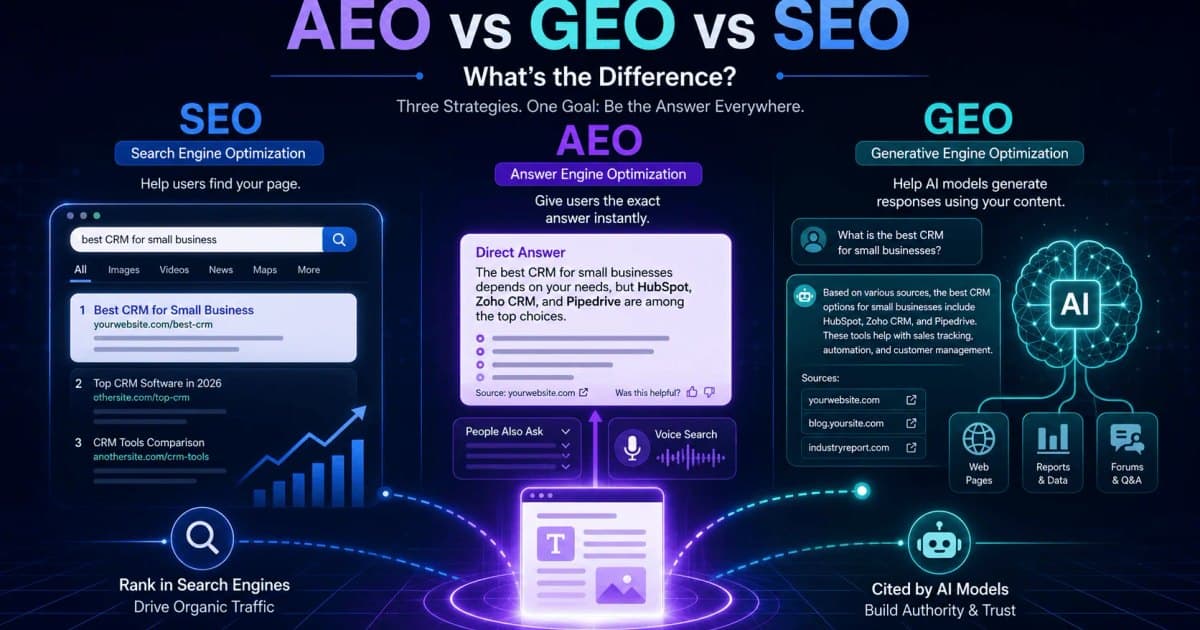
These check whether answer engines and AI tools can use your content. I've covered the difference properly in AEO vs GEO vs SEO, so here are just the checks.
| Check | How to test | What I found on this site |
|---|---|---|
| 24. A direct answer opens each guide | Read the first paragraph | Added a "Quick answer" to every guide, with the number in it. |
| 25. Comparisons are tables, not paragraphs | Scan for buried numbers | Price comparisons moved into tables, which are easier for AI tools to pull from. |
| 26. AI crawlers have a plain summary | Open yoursite.com/llms.txt | Added llms.txt and a fuller version, pointing to the pages that matter. |
| 27. Facts are named, sourced and dated | Look for "studies show" with no source | Competitor prices now name each provider, link to them and give the date checked. One statistic I'd cited had lost its source, so I replaced it. |
| 28. Your details match everywhere | Compare phone, name and links across profiles | A Play Store listing used a different phone number from the website. |
6. Search experience after the click (checks 29 and 30)
| Check | How to test | What I found on this site |
|---|---|---|
| 29. The page answers what the search asked | Search Console queries next to the page | Most searches here were about price, and the service pages said "contact for quote". They now show real prices. |
| 30. The next step is obvious and forms behave | Try the page as a visitor would | Guides ended with no offer, and form errors showed in green. Guides now end with the matching service, and errors show in red. |
How to run this on your own site
- Start in Search Console. Indexing report first, then the Performance report by page and by query. It tells you where to look.
- Crawl the whole site with Screaming Frog or Ahrefs Site Audit, and sort by issue.
- Fix in this order: anything blocking indexing, then titles and descriptions on pages that already get impressions, then everything else.
- Change one thing, measure, then move on. Give Google two to four weeks to recrawl before you judge a fix.
- Keep a log of what you changed and when. Without it, you can't tell which fix moved which number.
When to get help
You can run nearly every check here yourself. The fixes are the hard part: canonicals, schema, speed and crawlability usually live in the site's code. My SEO audit and fix starts from NPR 15,000, and unlike a report-only audit, I make the changes myself. If you just want to know where you stand, send me your URL for a free first look.
Frequently asked questions
What is an SEO audit?
An SEO audit is a structured check of everything that affects how a website is found, understood and chosen in search: whether pages can be crawled and indexed, how titles and content match what people search, structured data, speed and mobile use, readiness for AI answers, and whether visitors can easily take the next step.
How often should I audit my website?
Run a full audit once or twice a year, and a light check after any redesign, migration or big content change. Keep Search Console's indexing and performance reports open monthly, because most serious problems show up there first.
Which tools do I need for an SEO audit?
Google Search Console is essential and free. A crawler like Screaming Frog or Ahrefs Site Audit finds technical problems across every page. Semrush or Ahrefs help with keywords and competitors, GA4 shows what visitors do after they land, and Looker Studio turns it into a report you can share.
How much does an SEO audit cost in Nepal?
A technical SEO audit with fixes typically costs NPR 15,000 to 50,000 in Nepal, depending on the size of the site and whether the fixes are included or only recommended. Make sure you know which, because a report without fixes leaves the work to you.
Can an SEO audit guarantee better rankings?
No. An audit finds what's holding a site back and fixing those problems removes obstacles, but rankings also depend on competition, content and authority that no audit controls. Anyone promising a guaranteed position after an audit is overselling.
Can I do an SEO audit myself?
You can run most checks in this list yourself with Search Console, a free crawler and PageSpeed Insights. The fixes are where it gets harder: canonical problems, schema and speed issues usually live in the site's code and need a developer.
Most sites aren't held back by one big problem. They're held back by twenty small ones nobody checked. Work through the list, keep a log, and let the numbers tell you what worked.

Aryan Pariyar
Web developer in Nepal, working with global companies across the Netherlands, UK and Australia. 100+ websites shipped, AI ad creatives generating thousands of sales, and 1,000+ students trained.
More about me →Have a project in mind?
Let's turn your idea into something premium.

Let's build it together!
Contact NowNot sure where to start?
Tell me about your project and I'll get back within 24 hours.