Cover Letter for Domain Registration in Nepal
Create the exact cover letter register.com.np expects for your free .com.np domain, personal or company format, with your signature, stamp and letterhead. Downloads as a JPG under 200 KB, the only file type the registry accepts. Free, no signup.
Registration Details
Downloads as JPG under 200 KB, the only format register.com.np accepts
Date: 15 Oct 2026
To,
The Hostmaster,
Mercantile Communication Pvt. Ltd.
Durbar Marg, Kathmandu
Subject: .NP Domain Registration
Dear Sir/Madam,
I am writing this letter to request you to kindly register the domain yourdomain.com.np for me, based on my name. I have provided my personal details and attached a scanned copy of my citizenship certificate with this letter. I would be glad if you approve my domain registration request.
Thank you very much for your consideration. I look forward to hearing from you soon.
Domain name: yourdomain.com.np
Primary Name Server:
ns1.yourhost.com
Secondary Name Server:
ns2.yourhost.com
Sincerely,
Name: [Your Name]
Address: [Your Address]
Live preview, exactly what your downloaded JPG will look like.
Registering a .com.np domain for your business? I'll build the website that goes on it.
Get Your Website BuiltHow to write a cover letter for domain registration in Nepal
Every .np domain application needs a cover letter addressed to the Hostmaster at Mercantile Communication Pvt. Ltd., Durbar Marg, Kathmandu, the official .np registry behind register.com.np. The letter states the domain you want, your two name servers, and who you are. Individuals sign it personally and attach citizenship; companies print it on their letterhead with a company stamp and an authorized signature, alongside their registration certificate and PAN/VAT.
One detail trips most people up: register.com.np only accepts JPG/JPEG files under 200 KB, a PDF cover letter gets rejected. The generator at the top of this page produces the letter in exactly that format: pick Personal or Organization, fill your details, add your signature (and stamp + letterhead for companies), and download a ready-to-upload JPG. Free, no signup, nothing stored on any server.
Which .np extension is for whom?
.np is Nepal's country-code top-level domain. You register at the third level under one of these, pick the one that matches who you are:
.com.np
Anyone, individuals and businesses. The most common choice; register it under your personal or company name.
.org.np
Non-profits, NGOs, clubs and community organizations registered in Nepal.
.edu.np
Schools, colleges and universities, requires proof of the educational institution.
.net.np
Network providers, tech startups and IT companies wanting a technical identity.
.gov.np
Government bodies and agencies only, not open to the public.
.name.np
Personal domains under your own name, portfolios, blogs and resumes.
.info.np
Informational sites, news portals and public resources.
.coop.np
Registered cooperatives (sahakari sanstha) only.
Requirements & documents
Facts worth knowing
- .np is Nepal's country-code top-level domain, managed by Mercantile Communication Pvt. Ltd. via register.com.np
- Registration is completely free, no registration fee and no renewal fee, for a lifetime
- Domains are approved manually, first-come-first-served; approval usually takes 1–5 working days
- The registry provides no DNS hosting, you must supply two name servers from your hosting or DNS provider
- The domain name must match your name or registered company name (or a close abbreviation)
- Minimum three characters; letters, numbers and hyphens only (no leading/trailing hyphen)
Personal domain, documents
- ✓Scanned copy of your Nepali citizenship certificate (both sides)
- ✓A signed cover letter requesting the registration (generate it above)
Company domain, documents
- ✓Company Registration Certificate
- ✓PAN or VAT certificate
- ✓Cover letter on company letterhead, with the company stamp and an authorized signature (generate it above)
How to register a free .com.np domain, step by step
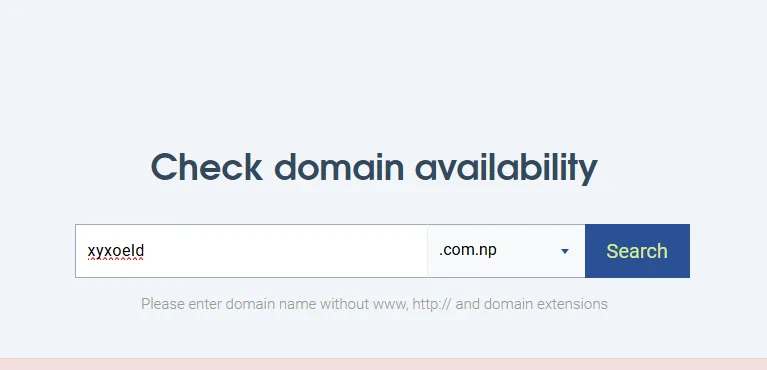
1Search your domain
Go to register.com.np and search a name that matches your citizenship name or registered company name. If it's taken, try a close variation or abbreviation.
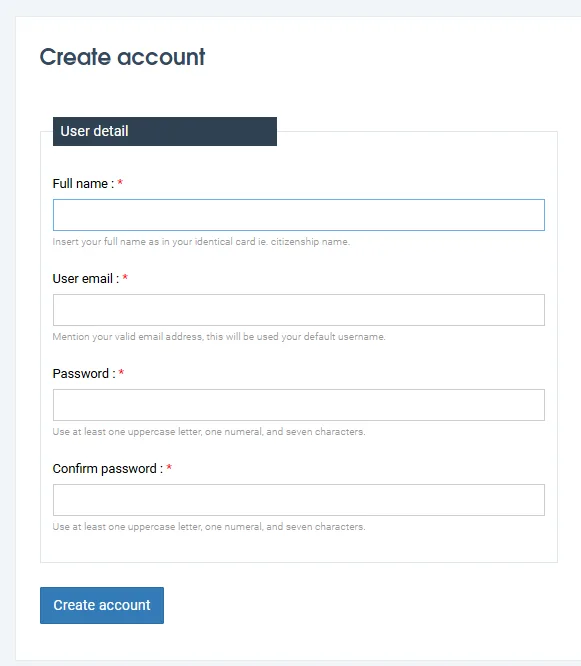
2Create an account & fill the form
Sign up, then fill in the registration form: domain, admin and technical contacts, and your two name servers. Your hosting provider (or Cloudflare, if you manage DNS there) gives you these.
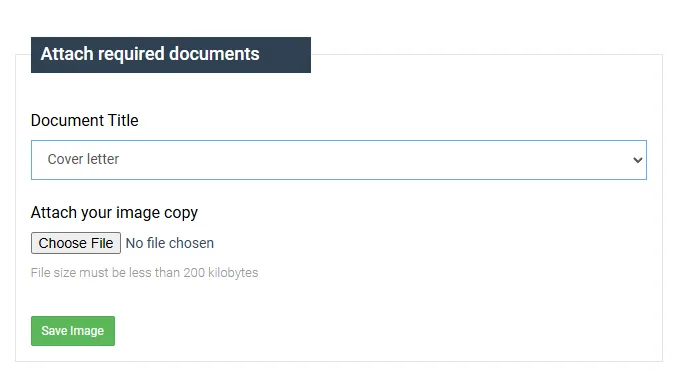
3Upload documents + cover letter
Personal: citizenship (both sides) and your signed cover letter. Company: registration certificate, PAN/VAT and the stamped cover letter on your letterhead. Every file must be a JPG/JPEG under 200 KB, the registry rejects PDFs. The generator above downloads your cover letter in exactly that format.
4Wait for approval
Approval is manual and typically takes 1–5 working days. If a document is unclear you'll be asked to re-upload. Once approved, the domain is yours for life, point it at your hosting and go live.
Domain approved. Now it needs a website.
A free .com.np domain is step one. I design and build fast, SEO-ready WordPress and Next.js websites for Nepali businesses, 100+ shipped, and set up your hosting, DNS and email so your new domain actually goes live.
.np domain registration, FAQs
+Is the .com.np domain really free?
Yes. Registering any public .np domain (.com.np, .org.np, .name.np and others) is completely free of charge with no renewal fees, the domain is yours for a lifetime. You only need to prove a Nepali connection: a citizenship certificate for individuals, or a company registration document for businesses.
+What is a cover letter for domain registration in Nepal?
It is a short formal letter addressed to the Hostmaster at Mercantile Communication Pvt. Ltd. requesting registration of your chosen .np domain. It states the domain name, your name servers, and your identity details, and it must be signed, individuals sign it personally, while companies submit it on letterhead with a company stamp and an authorized signature. The generator on this page creates it for you in the accepted format.
+Which documents do I need to register a .com.np domain?
For a personal domain: a scanned copy of both sides of your Nepali citizenship certificate plus a signed cover letter. For a company domain: your Company Registration Certificate, PAN or VAT certificate, and a cover letter on company letterhead with stamp and signature.
+Which file format does register.com.np accept for the cover letter?
Mercantile Communication accepts documents in JPG/JPEG format only, and each file must be under 200 KB, PDFs and oversized scans are rejected. That applies to the cover letter, citizenship scans and company documents alike. This generator downloads your cover letter as a JPG that is automatically compressed to stay under the 200 KB limit.
+How long does .np domain approval take?
Approval is done manually by the registry on a first-come-first-served basis and usually takes 1 to 5 working days. Unclear or mismatched documents are the most common reason for delays, so make sure the domain name matches the name on your documents.
+What name servers should I use for my .np domain?
The .np registry does not provide DNS, so you need two name servers from elsewhere, your hosting provider gives you these (for example ns1.yourhost.com and ns2.yourhost.com), or you can use a free DNS service like Cloudflare and enter its assigned name servers.
+Can I use a .com.np domain with WordPress or a custom website?
Yes. Once the domain is approved, point its name servers at your hosting, and it works with WordPress, Next.js or any other platform exactly like a .com domain. If you want the site built for you, that's what I do.
+Should I choose .com.np or .com?
.com.np is free, signals a Nepali identity and ranks well for local searches, ideal for businesses serving Nepal. A .com costs money but travels better internationally. Many businesses register both and redirect one to the other.
What this tool does
- Personal and company (organization) letter formats
- Upload your signature, companies add stamp and letterhead too
- Downloads as JPG/JPEG under 200 KB, the only format Mercantile accepts
- Live A4 preview, exactly what the downloaded letter will look like
- Nothing uploaded to any server, everything stays in your browser
How to use it
- 1Choose Personal or Organization
- 2Enter your domain, name/company details and name servers
- 3Add your signature image (companies: stamp + letterhead)
- 4Click Download, you get a JPG under 200 KB, ready to upload